How to Structure a Service Business Website for SEO
Plan service pages, location pages, URLs, and internal links with a reusable website structure for businesses serving multiple areas.
Is this structure good for SEO?
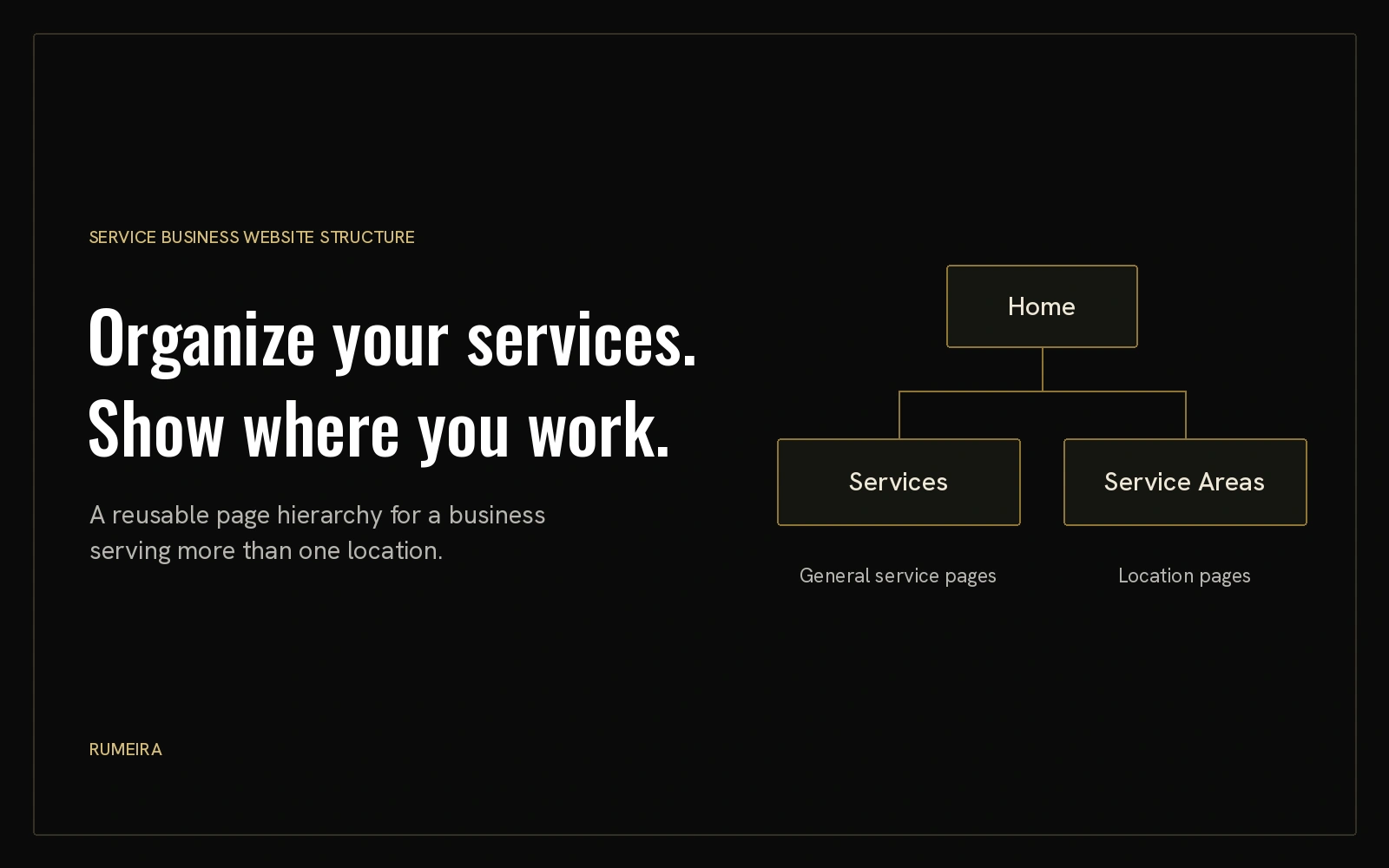
Yes. Separate service and location sections are a solid foundation for a business serving multiple areas. They help visitors find what you do and where you work.
Google recommends logical organization, descriptive URLs, and internal links that help people find related content. Structure supports SEO, but it does not guarantee rankings. [1] [2]
Create them when they answer a useful local need and offer more than a changed city name. Start with the pages your customers actually need.
Visual sitemap
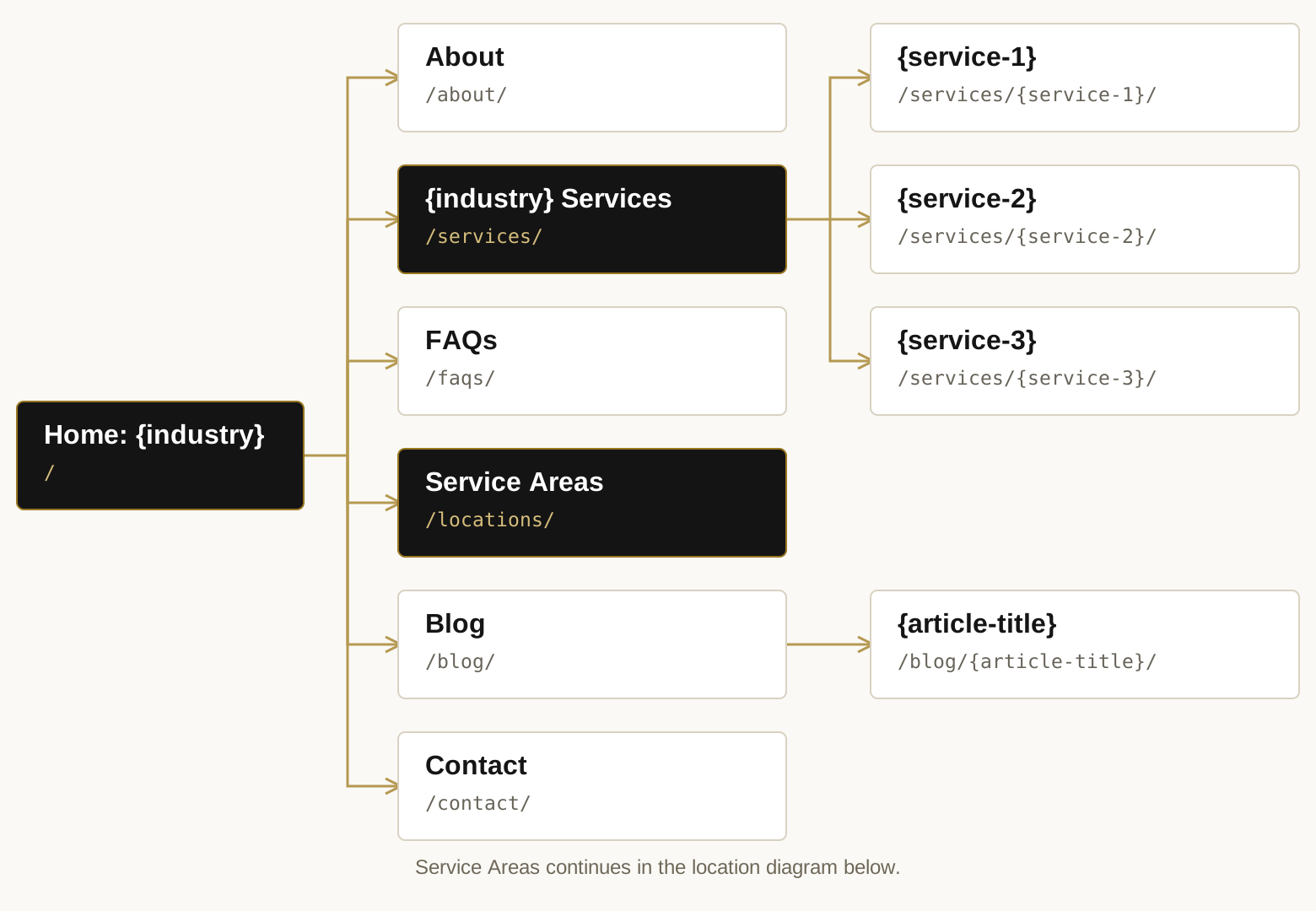
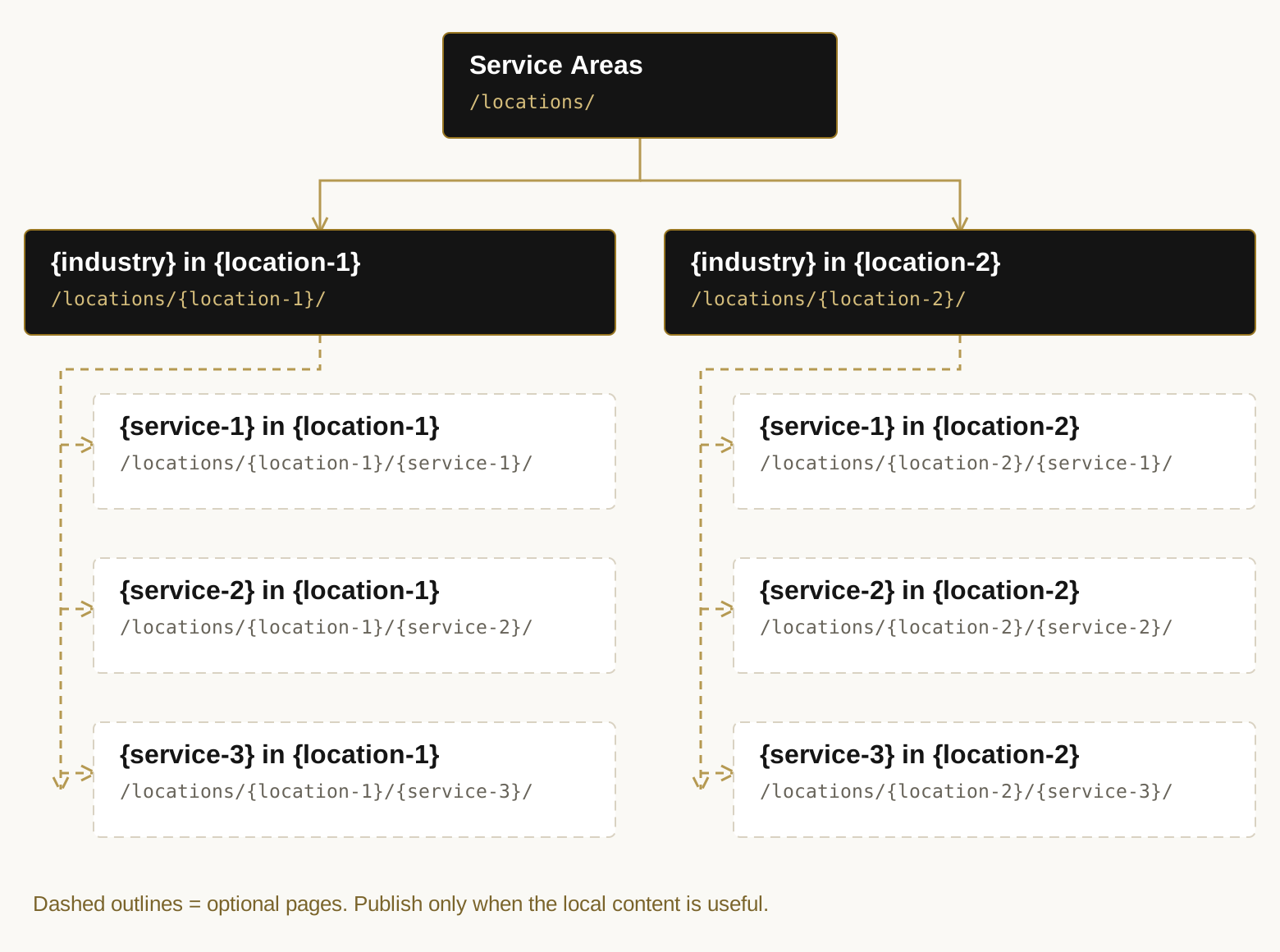
This template is for a business in {industry}, serving {location-1} and {location-2}, with three services. Replace the placeholders with real labels and lowercase, hyphenated URL slugs.
The diagrams show page hierarchy, not every internal link. The Service Areas page connects the two diagrams.
Main pages and services
Location pages
Each location overview summarizes the services offered there. Add a local service page only when it has a useful job of its own.
Suggested URLs
Replace the tokens below with your service, location, and article slugs. This is a readable convention, not a special Google ranking requirement.
| Page | Suggested URL |
|---|---|
| Home: {industry} | / |
| About | /about/ |
| {industry} Services | /services/ |
| {service-1} | /services/{service-1}/ |
| {service-2} | /services/{service-2}/ |
| {service-3} | /services/{service-3}/ |
| FAQs | /faqs/ |
| Service Areas | /locations/ |
| {industry} in {location-1} | /locations/{location-1}/ |
| {service-1} in {location-1} | /locations/{location-1}/{service-1}/ |
| {service-2} in {location-1} | /locations/{location-1}/{service-2}/ |
| {service-3} in {location-1} | /locations/{location-1}/{service-3}/ |
| {industry} in {location-2} | /locations/{location-2}/ |
| {service-1} in {location-2} | /locations/{location-2}/{service-1}/ |
| {service-2} in {location-2} | /locations/{location-2}/{service-2}/ |
| {service-3} in {location-2} | /locations/{location-2}/{service-3}/ |
| Blog | /blog/ |
| {article-title} | /blog/{article-title}/ |
| Contact | /contact/ |
The words in braces are placeholders. For example, a public adjuster’s water damage page in Queens could use /locations/queens/water-damage/.
Give each page a clear role
The following are practical recommendations for this structure. Each page should help someone make a decision or find the next useful piece of information.
| Page type | Content and purpose |
|---|---|
| General service page | Explain the service, process, benefits, pricing factors, and common questions across the business’s coverage area. |
| Location overview | Explain service availability in that area, summarize each available service, and link to any useful local service pages. |
| Local service page | Address one service in one place using relevant local work, photos, customer experiences, availability, or conditions where available. |
| FAQs | Answer broad business questions. Also answer relevant service and location questions on the pages where visitors need them. |
| Blog article | Answer a specific customer question and link to the relevant service or location page when helpful. |
Yes, services belong on each location overview.
Each {location} page should summarize its available {service} offerings and link to relevant child pages. Keep detailed local service information on the child pages when those pages are justified.
If a separate local page would only repeat the general service page with a different city name, keep that service on the location overview and link to the general service page instead.
When to add local service pages
A local service page should answer something useful about one service in one area. Relevant projects, original photos, local customer experiences, availability, or area-specific conditions can give it that purpose.
For example, a public adjuster’s water damage page for Queens might explain the property types the firm works with and show a real local project, if the firm has permission to share it. Use only details the business can support.
Google’s doorway-abuse policy covers certain substantially similar pages created to capture related searches and funnel visitors elsewhere. [3]
Use Service Areas as the navigation label when these pages describe coverage rather than actual offices. The /locations/ URL convention can still be used. Do not imply that an office exists where it does not.
Internal linking
Google recommends that every page you care about have a link from another page on your site. [2] For this structure:
- Services overview: link to each general service page.
- Service Areas overview: link to each location overview.
- Location overview: link to its published local service pages.
- Local service page: link back to its location overview and corresponding general service page.
- General service page: link to relevant local versions where useful.
- Blog article: link to closely related service or location pages.
Use descriptive link text and breadcrumbs. A local service page could use:
The folder structure alone does not create those links. Build them into the pages.
Sources
- Google Search Central: SEO Starter Guide ↗
- Google Search Central: Link best practices ↗
- Google Search Central: Spam policies, doorway abuse ↗
Guidance checked October 30, 2026. This structure is a starting point and should reflect the services and areas your business actually covers.
Need help planning your website?
We can map your services and locations, organize your pages, and build a website your customers can use. Work with us.